Raw parser output
[1] dead text -- can't click
\[ E = mc^2 \] wrong delimiters
[Fig. 3] plain string
No metadata
References
[1] Vaswani et al. Attention Is All You Need.Open-source PDF->Markdown engine with a local Web UI. Choose your parser - run free locally or connect a cloud API. Get structured Markdown with footnotes, LaTeX, figure links, and metadata.
raw parser output
  -> normalize
  -> enrich
-> structured markdownPyMuPDF for fast digital PDFs, PaddleOCR-VL for local AI parsing, Marker API for easiest premium quality, or self-hosted Marker for private infrastructure.
Use the quick decision guide, pick the parser that fits your document and privacy needs, then download structured Markdown. Your files stay local unless you explicitly choose the cloud API.
+---------------------------------------------+
|  PaperFlow Local UI                         |
|                                             |
|  Quick decision guide                       |
|  Standard digital PDF? -> PyMuPDF           |
|  Scan / formulas / OCR? -> PaddleOCR-VL     |
|  Easiest premium path? -> Marker API        |
|  Private enterprise setup? -> Self-hosted   |
|                                             |
|  1. Choose parser                           |
|     (*) PyMuPDF Local                       |
|     ( ) PaddleOCR-VL-0.9B                   |
|     ( ) Marker API (Datalab.to)             |
|     ( ) Enterprise Marker Self-Hosted       |
|                                             |
|  2. Drop PDF here                           |
|     +-------------------------------+       |
|     |  paper.pdf  /  2.4 MB         |       |
|     +-------------------------------+       |
|                                             |
|  Setup, tradeoffs, and exact commands       |
|  appear for the selected parser             |
|                                             |
|  [Convert]  [Batch Process]                 |
|                                             |
|  3. Download                                |
|      paper.md     paperflow.zip             |
+---------------------------------------------+The parser is not the moat. Post-processing is where raw text becomes something you can actually use.
[1] dead text -- can't click
\[ E = mc^2 \] wrong delimiters
[Fig. 3] plain string
No metadata

References
[1] Vaswani et al. Attention Is All You Need.[^1] hover to preview reference
$$ E = mc^2 $$ renders everywhere
[[#^fig-3|Fig. 3]] click to jump
---
title: "Attention Is All You Need"
authors:
- "Vaswani"
- "Shazeer"
---Works with any Markdown editor: Obsidian, Notion, Logseq, VS Code, or your RAG pipeline.
| Source PDF | Generic converter | PaperFlow output |
|---|---|---|
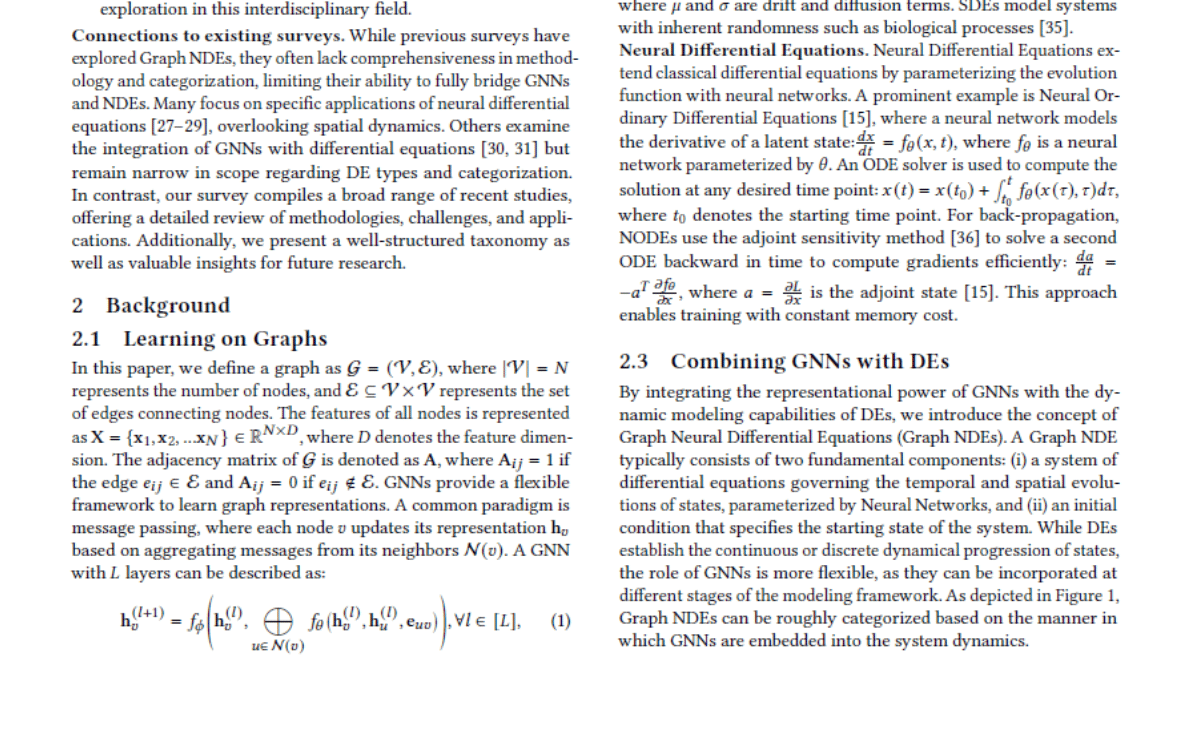
|
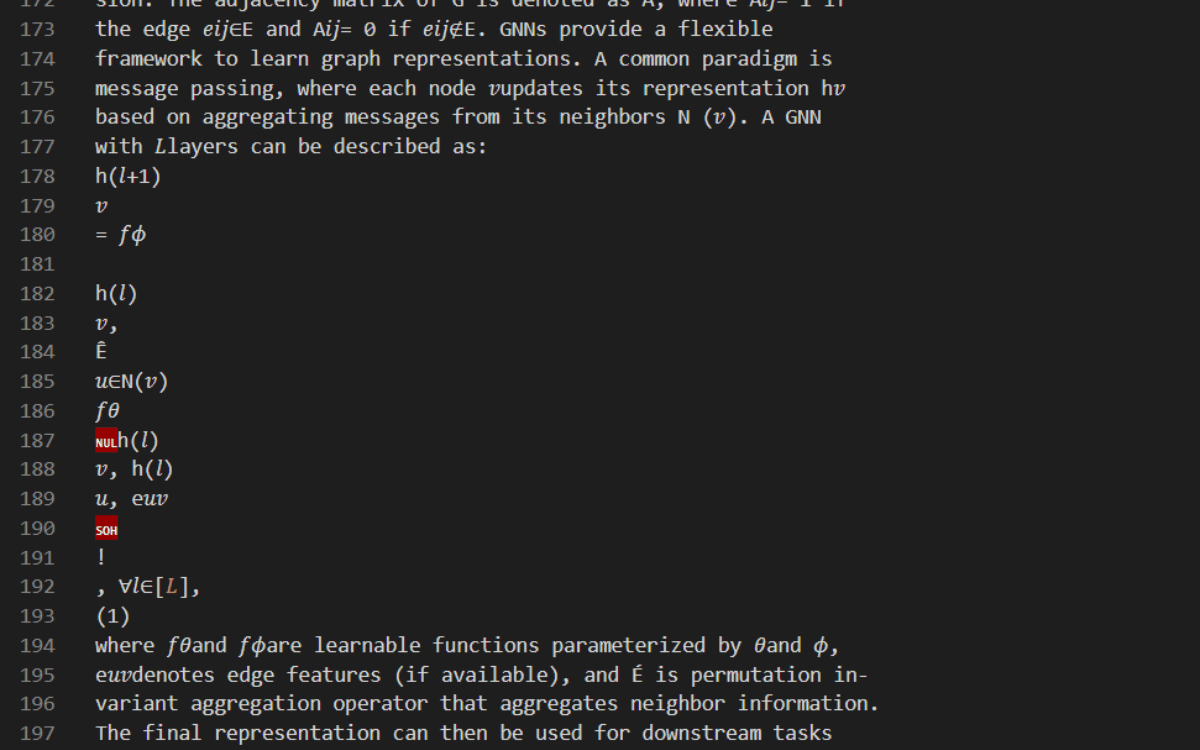
|
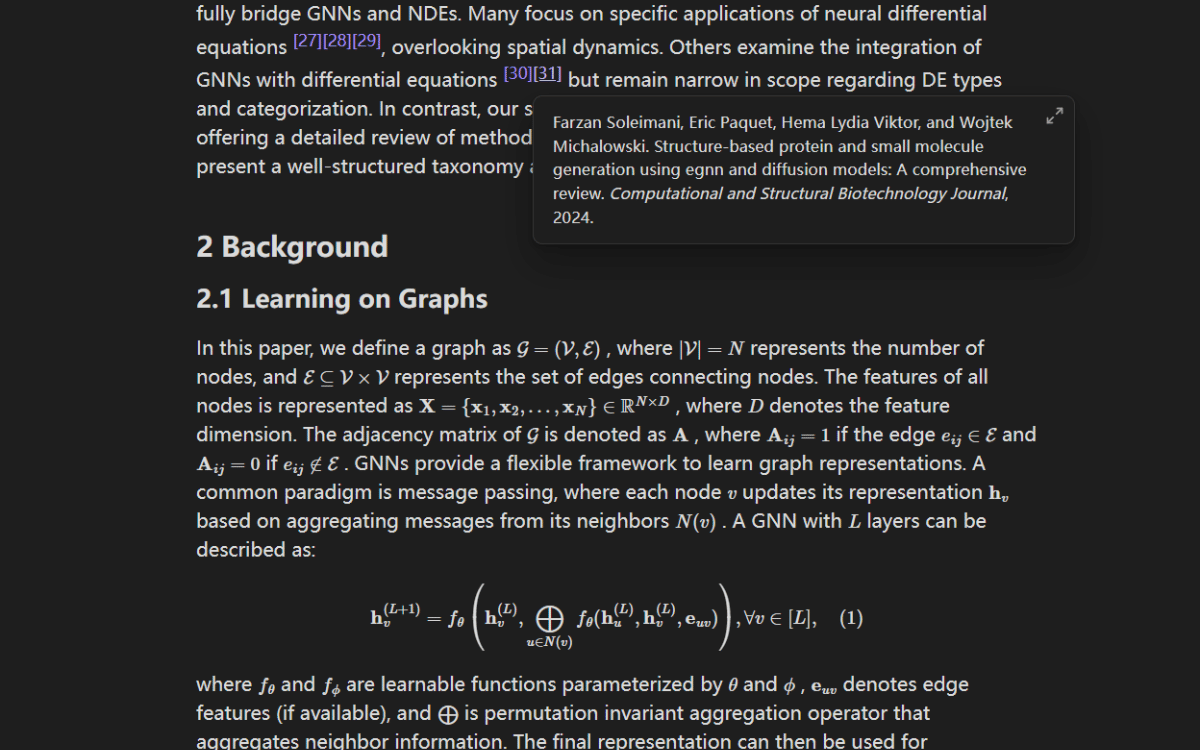
|
Run the local Web UI, then choose the parser that matches your document type, privacy needs, and setup tolerance.
git clone https://github.com/TylerMorrison21/paperflow
cd paperflow
pip install -r requirements.txt
uvicorn api.main:app --port 8000
# Open http://localhost:8000
That's it. The Web UI checks which parsers are actually ready, then shows setup steps and exact commands for each option.
pip install paperflow-postprocessfrom paperflow_postprocess import enhance
raw_md = open("parser_output.md").read()
result = enhance(raw_md, images={}, metadata={"title": "My Paper"})npm install -g paperflow-mcpUse PaperFlow in Claude Desktop with the MCP server package.
{
  "mcpServers": {
    "paperflow": {
      "command": "npx",
      "args": ["-y", "paperflow-mcp"]
    }
  }
}{
"mcpServers": {
"paperflow": {
"command": "cmd",
"args": ["/c", "npx", "-y", "paperflow-mcp"]
}
}
}curl -X POST http://localhost:8000/api/submit \
-F "file=@paper.pdf"
curl http://localhost:8000/api/jobs/<job_id>/result -o paper.md
curl http://localhost:8000/api/jobs/<job_id>/package -o paperflow.zipRun the local API and send PDFs to it directly from scripts, curl, or your own document workflow.
Choose the parser by workflow, not by raw specs. PaperFlow applies the same post-processing after extraction.
| Parser | Use it when | Positioning |
|---|---|---|
| PyMuPDF Local | You have a standard digital PDF and want the fastest free local path | Default choice for contracts, reports, invoices, and high-volume text-layer PDFs |
| PaddleOCR-VL-0.9B | You need local AI for scans, equations, tables, or complex academic layouts | Best local option when quality matters and cloud upload is off the table |
| Marker API (Datalab.to) | You want the easiest premium-quality setup and cloud processing is acceptable | Fastest route to premium extraction with your own API key |
| Enterprise Marker Self-Hosted | You need private infrastructure, compliance, and enterprise control | Top-tier quality on your own servers or private cloud |
| Docling | You want to experiment with another upstream parser | Supported as an external parser input into the PaperFlow post-processing pipeline |
| LlamaParse | You already use it and want to normalize downstream markdown | Useful as an upstream source, but output shape may vary |
| Others | You have a parser that can already emit markdown | PaperFlow is parser-agnostic on the post-processing side |
Parsing is commoditized. Post-processing is the product.
Four steps from parser output to workflow-ready Markdown.
Your chosen parser outputs raw Markdown.
LaTeX delimiters unified, broken formatting cleaned, repeated noise stripped.
Citations become footnotes, figures become links, YAML metadata gets injected.
Structured Markdown ready for editors, note systems, search indexes, and agents.
Deploy it privately, use a hosted API, or wire it into the systems your team already works in.
Docker image on your servers. Air-gapped. Your data never touches the internet.
Hosted endpoint with SLA. Pay per page.
Connect to iManage, SharePoint, NetDocuments, or your document management system.
PaperFlow is already used by researchers and developers in 40+ countries. MIT licensed for all use cases.
PaperFlow already has real usage across researchers, developers, and document-heavy workflows.
Organic attention from researchers and builders.
Strong validation for the problem and the demo.
Enough real-world PDF messiness to shape the pipeline.
Used by developers, researchers, and document-heavy workflows globally.